What is an IDoc and Why is It Used in SAP?
IDoc is an important concept in SAP system integration. Organizations use IDocs to exchange business information between SAP systems and external applications. They support business processes such as sales, purchasing, delivery, inventory management, and financial transactions.
Understanding what an IDoc is and why it is used in SAP is valuable for students and working professionals interested in SAP functional and technical processes.
What is an IDoc in SAP?
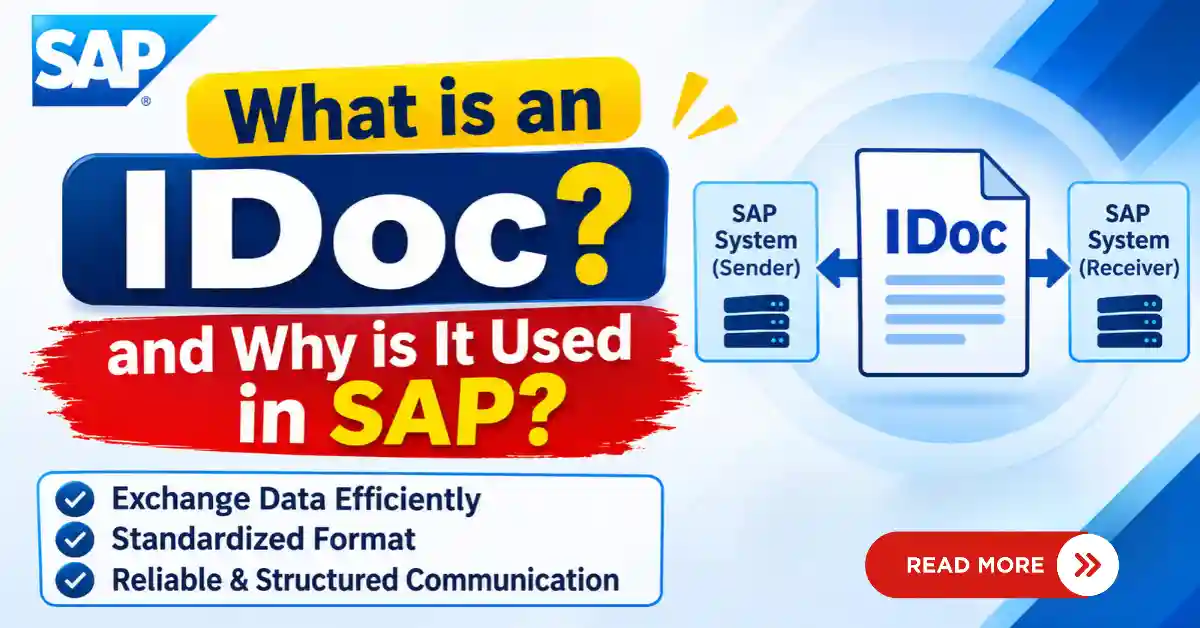
IDoc stands for Intermediate Document. It is a standard SAP data format used to exchange business information between SAP systems and external applications.
An IDoc contains structured business data organized into different segments. This information can be transferred electronically from one system to another for further processing.
For example, when a company creates a purchase order in SAP, the system can generate an outbound IDoc and send the purchase order details to a supplier’s external system.
IDoc Communication Flow:
SAP System → IDoc → External System
IDocs are commonly used in SAP integration scenarios involving Electronic Data Interchange (EDI) and Application Link Enabling (ALE).
Why are IDocs Used in SAP?
IDocs help organizations exchange business information automatically without manually entering the same data into multiple systems.
The main benefits of using IDocs in SAP include:
Data Exchange: Transfers business information between SAP and external systems.
Process Automation: Supports automated purchasing, sales, delivery, and invoice processes.
System Integration: Connects SAP with supplier systems, customer applications, and third-party platforms.
Reduced Manual Work: Minimizes repetitive data entry and manual errors.
Error Monitoring: Helps users identify processing errors through IDoc status records.
Standardized Communication: Uses a structured data format for consistent information exchange.
How does an IDoc work in SAP?
SAP IDoc process involves generating, transferring, receiving, and processing business information.
A typical process follows these steps:
- Business Transaction: A business activity takes place, such as creating a sales order or purchase order.
- IDoc Generation: SAP generates an IDoc containing the required business information.
- Outbound Processing: SAP prepares and transfers the IDoc to the receiving system.
- IDoc Reception: The receiving system accepts the incoming IDoc.
- Inbound Processing: The receiving application processes the received information.
- Status Update: SAP records the processing status for monitoring and error handling.
The exact process depends on the integration method, partner configuration, message type, and business scenario.
Structure of an IDoc in SAP
An IDoc consists of three main components:
- Control Record: Contains technical information required for communication, such as sender, receiver, message type, IDoc type, and communication direction.
- Data Records: Contain the actual business information organized into segments. For example, a sales order IDoc may include customer details, material information, and order quantities.
- Status Records: Show the processing history and status of an IDoc. They help users identify whether an IDoc was successfully processed or encountered an error.
Types of IDocs in SAP
IDocs are mainly classified into two types based on communication direction.
- Outbound IDoc: An outbound IDoc is generated in SAP to send business information to another SAP system or an external application.
Example: When a company creates a purchase order, SAP can generate an outbound IDoc containing purchase order details and send it to the supplier’s system.
Flow: SAP → Outbound IDoc → External System - Inbound IDoc: An inbound IDoc is received by SAP from an external system or another SAP system for further processing.
Example: A supplier sends business information to SAP through an inbound IDoc. SAP receives and processes the information according to the configured business scenario.
Flow: External System → Inbound IDoc → SAP
Common IDoc Message Types in SAP
A message type identifies the business purpose of an IDoc.
| Message Type | Purpose |
|---|---|
| ORDERS | Order communication |
| ORDCHG | Order change |
| DESADV | Despatch advice |
| INVOIC | Invoice communication |
| MATMAS | Material master data |
| DEBMAS | Customer master data |
| CREMAS | Vendor master data |
| SHPMNT | Shipment information |
The actual IDoc type and processing depend on the business scenario and SAP configuration.
Difference Between IDoc, EDI, and ALE
| Term | Meaning | Purpose |
|---|---|---|
| IDoc | Intermediate Document | Structured format for exchanging business data |
| EDI | Electronic Data Interchange | Electronic exchange of business documents |
| ALE | Application Link Enabling | Distribution of business data between SAP systems |
IDocs are commonly used as the data format in SAP ALE and EDI communication scenarios.
Important IDoc Transaction Codes in SAP
SAP provides several transaction codes to manage and monitor IDocs.
| Transaction Code | Purpose |
|---|---|
| WE02 / WE05 | Display and monitor IDocs |
| WE19 | Test IDoc processing |
| WE20 | Maintain partner profiles |
| WE21 | Maintain ports |
| WE30 | Maintain IDoc types |
| WE31 | Maintain IDoc segments |
| WE41 | Maintain outbound process codes |
| WE42 | Maintain inbound process codes |
| BD64 | Maintain distribution model |
| BD87 | Reprocess IDocs |
These transaction codes are useful for SAP functional and technical consultants working with IDoc configuration and monitoring.
Common IDoc Status Codes in SAP
IDoc status codes indicate the processing stage or result.
| Status Code | Meaning |
|---|---|
| 03 | Data passed to port OK |
| 12 | Dispatch OK |
| 30 | IDoc ready for dispatch |
| 51 | Application document not posted |
| 53 | Application document posted |
| 64 | IDoc ready to be transferred to application |
| 68 | Error – no further processing |
Status codes help SAP professionals identify successful processing and troubleshoot communication issues.
Why Is IDoc Knowledge Important for SAP Professionals?
IDoc knowledge is useful for professionals working in SAP implementation, support, and integration.
It helps professionals:
- Monitor communication between SAP and external systems.
- Understand inbound and outbound IDoc processing.
- Identify and troubleshoot IDoc errors.
- Work with partner profiles and message types.
- Understand SAP ALE and EDI integration.
- Support automated business processes.
SAP MM, SAP SD, SAP FICO, and SAP technical consultants may encounter IDocs in different business scenarios.
SAP Training at Think Tree Technologies
Think Tree Technologies provides instructor-led SAP Training for students and working professionals across different SAP modules.
The training focuses on SAP functional concepts, practical system exposure, business process understanding, and career-oriented guidance. Participants can develop knowledge of SAP modules, integration concepts, and important system transactions.
Conclusion
IDoc is an important data exchange format in SAP that supports communication between SAP systems and external applications. It helps organizations automate business processes, exchange structured information, reduce manual data entry, and monitor system communication.
Understanding SAP IDocs, including inbound and outbound processing, IDoc structure, message types, status codes, and transaction codes, is valuable for professionals working with SAP integration and business processes.